7 Reasons We Love Touch-type Read and Spell
We have used Touch-type Read and Spell, or TTRS, in our homeschool for years now. It is one of those programs that has successfully stayed in the rotation through different seasons, different kids, and different needs.
We have used it with all four of my children, and I especially appreciate it for my spellers. It is not the flashiest typing program. It is not game-based, and it does not have a lot of bells and whistles. But for our family, that has actually been one of its biggest strengths.
TTRS is predictable, consistent, uncluttered, and accessible. It works on typing and spelling, but for my spellers, I also see it as a helpful step toward keyboard familiarity and, eventually, typing for communication. It gives them repeated practice with visual tracking, fine motor skills, hand-eye coordination, motor planning, and finding letters on a keyboard in a way that feels calm and manageable.
Here are 7 reasons we love it.
1. It works on more than typing.
TTRS is a typing program, but I do not think of it as only typing practice. For my spellers, it also supports eye tracking, hand-eye coordination, fine motor skills, motor planning, spelling, visual attention, and keyboard access.
That matters because typing is not just a computer skill for many of our kids. For spellers, typing can be connected to communication, academics, independence, and being able to show what they know. Before a child can comfortably type for communication, they often need time to become familiar with the keyboard, visually locate letters, coordinate their hands, and build the motor plan for finding and pressing keys.
TTRS gives us a simple way to practice those skills over and over again. The goal in our house is not always perfect touch typing. Sometimes the goal is simply finding the letter, moving the hand to the letter, pressing the key, and building confidence with that process.
2. It is predictable.
One of the biggest reasons TTRS has worked so well for us is that it is very predictable. The format stays the same, the lessons follow a familiar rhythm, and my kids know what to expect when they log in.
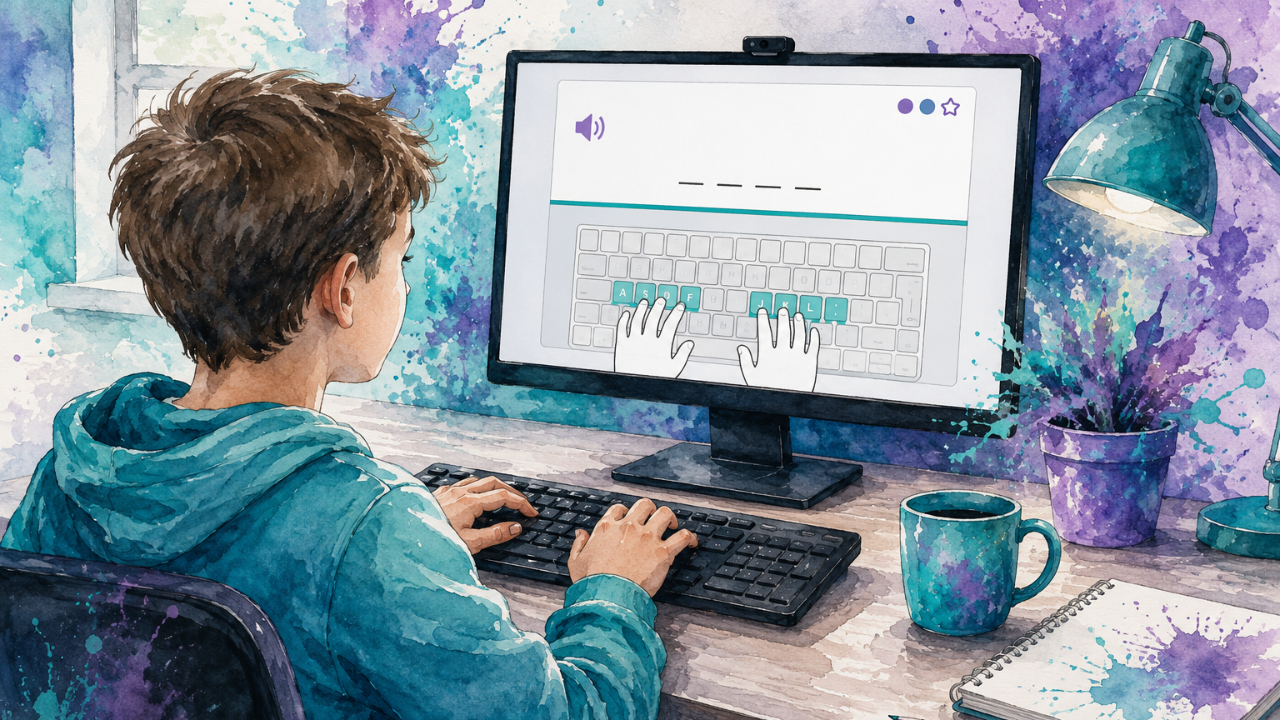
A lot of educational programs are designed to be exciting, but exciting can quickly become too much for kids who are already working hard to coordinate their eyes, hands, body, attention, and motor planning. With TTRS, the routine is simple: they see the letter or word, hear it, find it on the keyboard, type it, and move on.
That consistency has made it much easier to use regularly without it becoming a battle. My kids are not spending all their energy figuring out what the program wants them to do next. They can put that energy into the actual task.
3. It is visually accessible.
One thing I really appreciate about TTRS is that it is visually accessible in a way many other typing programs we have tried are not.
The letters are large and clear. The font is easy to read. The screen is clean. The layout is simple. There are not a lot of extra things competing for attention.
That matters for my kids.
A program can technically be a typing program and still be visually hard to use. If the letters are too small, the screen is too busy, or the child has to visually scan through too many icons, games, animations, or tiny details, the task becomes harder before they even start typing.
For spellers, I am always thinking about how much effort the task is already requiring. If a child is working on visual tracking, motor planning, typing, spelling, and staying regulated, I do not want the screen adding more demands than necessary.
TTRS keeps the focus on the actual skill. My kids can see the letter or word clearly, find what they need on the screen, and move into the typing task without having to filter out a lot of visual clutter first.
4. It is multi-sensory in a simple, useful way.
Another thing I love about TTRS is that it gives both auditory and visual input. The student can hear the letter or word, see the letter or word, see where it is on the keyboard, and then find it and type it.
That combination is really helpful for my kids. It is not just copying random letters from a screen. The program gives them multiple ways to take in the information while also practicing the motor piece of locating and pressing the key.
For my spellers, that kind of support can make a big difference because access is not always about simplifying the content. Sometimes access means giving the brain and body enough support to complete the task. Hearing the word, seeing the word, seeing the keyboard cue, and physically finding the key all work together.
That is one of the reasons I like TTRS as a precursor to typing for communication. It helps build familiarity with the keyboard in a structured, multi-sensory way before the child is expected to use typing for more open-ended output.
5. It is not overstimulating.
TTRS is not full of games or flashy extras, and I actually love that. We use plenty of games in our homeschool, so I am definitely not against fun. But I do not want every single educational program to be gamified.
Sometimes I want something calm, steady, and consistent. I want my child to be able to practice a skill without getting pulled into a reward loop or becoming overstimulated by the screen.
TTRS gives us that. It is simple enough to be sustainable, but still structured enough to feel like meaningful practice. For kids who are already using a lot of energy for motor planning, visual tracking, and regulation, calm matters.
6. We do not have to use it perfectly for it to be valuable.
This is important: my own son does not always use the exact finger placement suggested by the program.
And I am okay with that.
For him, using the correct finger placement every single time can be too much motor planning. The program shows where the hands should go, and that visual support is helpful, but our goal is not perfection. Our goal is access.
Sometimes simply finding the letter and pressing it is enough.
I think that is an important mindset shift for speller families. A program can still be valuable even if we adapt how we use it. TTRS gives us the structure, the auditory input, the visual input, the keyboard practice, and the progress tracking. We can still use all of that without making perfect touch typing the immediate goal.
For us, the bigger goal is building comfort with the keyboard, strengthening the fine motor and visual skills needed for typing, and giving my kids repeated practice in a way that is calm and predictable.
7. It has worked for different kids at different stages.
One of the biggest reasons I keep recommending TTRS is that it has worked for more than one child in my house, even though they have used it in different ways and at different stages.
Zeke is currently in Level 19. He has worked through this program for years, usually a couple of days a week, and he never complains about it. That says a lot because he definitely has opinions about schoolwork.
Lizzie is currently in Level 1, and for her, I appreciate the program for different reasons. I like the large font, the clean screen, the predictable routine, and the fact that she can hear the letter or word, see it, and then work on finding it on the keyboard.
For Zeke, TTRS has been a long-term typing and spelling tool. For Lizzie, it is helping build early keyboard access, visual attention, fine motor skills, motor planning, and comfort with the routine.
Same program, different kids, different goals — and that kind of flexibility is exactly what I want in a homeschool resource.
Final Thoughts
Touch-type Read and Spell is not the fanciest program we have used, but it has been one of the most consistent. It has stayed in our homeschool because it is predictable, visually accessible, uncluttered, not overstimulating, and genuinely useful.
It supports typing and spelling, but for my spellers, it also supports visual tracking, hand-eye coordination, fine motor skills, motor planning, keyboard familiarity, and access. I see it as a helpful step toward typing for communication because it gives kids repeated, structured practice finding letters, pressing keys, and building confidence with the keyboard.
And we do not have to use it perfectly for it to be worth using. If my child hears the word, sees the word clearly, finds the letter, presses the key, and builds a little more comfort with the keyboard, that is meaningful progress.
After using it with all four of my kids, I can honestly say it is one of the tools I recommend often for speller-friendly homeschooling.
If you are looking for a typing program that also supports spelling, literacy, motor planning, visual skills, fine motor practice, and keyboard access in a calm, predictable, and visually accessible way, TTRS is absolutely worth looking at.
You can try Touch-type Read and Spell free for 7 days and, if you decide it is a good fit for your family, this link will also give you 20% off the program:
Try TTRS free for 7 days and get 20% off
This post may contain affiliate links. I only share resources we have personally used and found helpful in our homeschool.